
Nginx
Nginx (engine x) 是开源、高性能、高可靠的 Web 和反向代理服务器,支持热部署,同时也提供了 IMAP/POP3/SMTP 服务,可以不间断运行,提供热更新功能。占用内存少、并发能力强等特点
安装
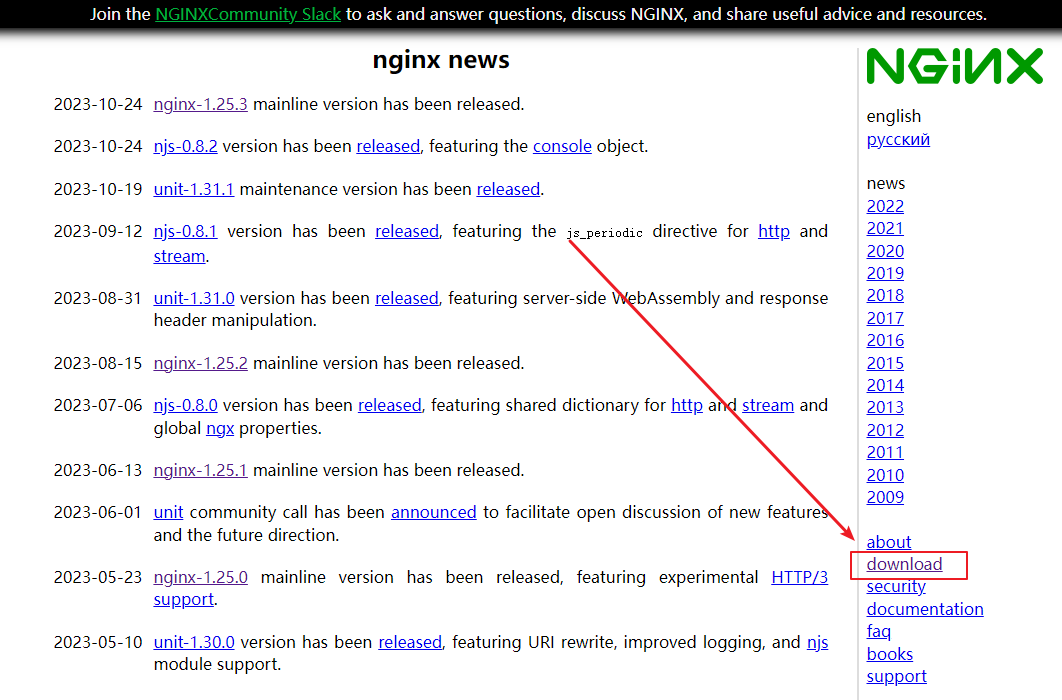
1、进入 Nginx 官网:https://nginx.org/,点击 download 进入下载页面
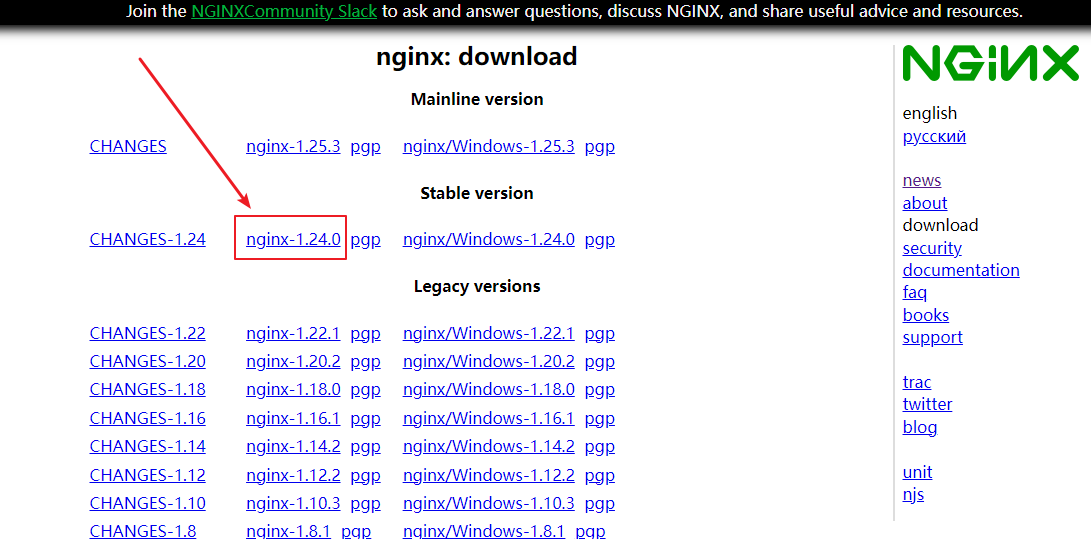
2、选择服务器稳定版本下载
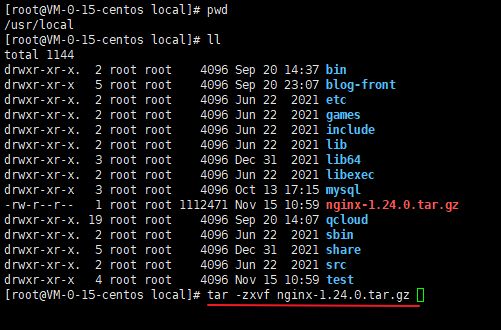
3、将下载的 tar.gz 包上传至服务器,演示上传的位置为 /usr/local,执行解压缩命令 tar -zxvf nginx-1.24.0.tar.gz
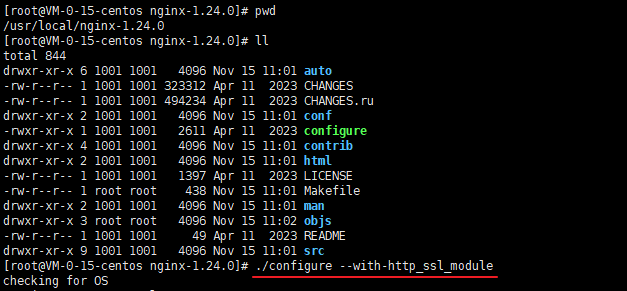
4、进入解压后的目录,执行 ./configure 命令(configure 是编译安装前的预备执行文件),如果需要安装 ssl 模块,则执行 ./configure --with-http_ssl_module
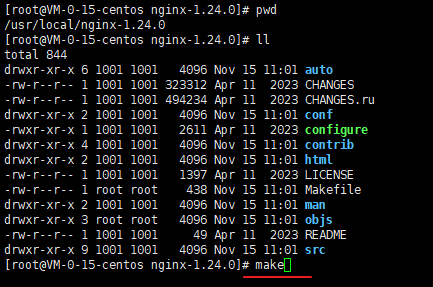
5、执行 make 命令,根据 configure 执行后生成的 Makefile 文件编译 Nginx 工程,并生成目标文件、最终的二进制文件
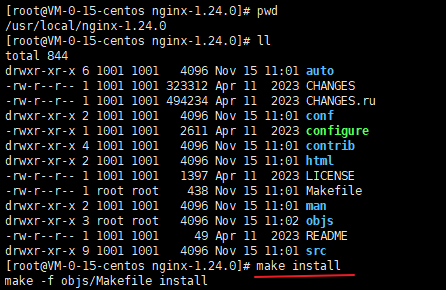
6、执行命令 make install,根据 configure 执行时的参数将 Nginx 部署到指定的安装目录,包括相关目录的建立和二进制文件、配置文件的复制
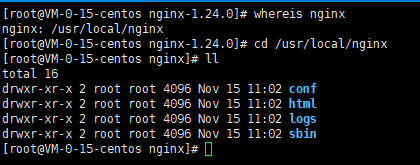
7、执行查看 nginx 所在位置命令 whereis nginx,并进入 nginx 目录,输入命令 ./sbin/nginx 启动 nginx
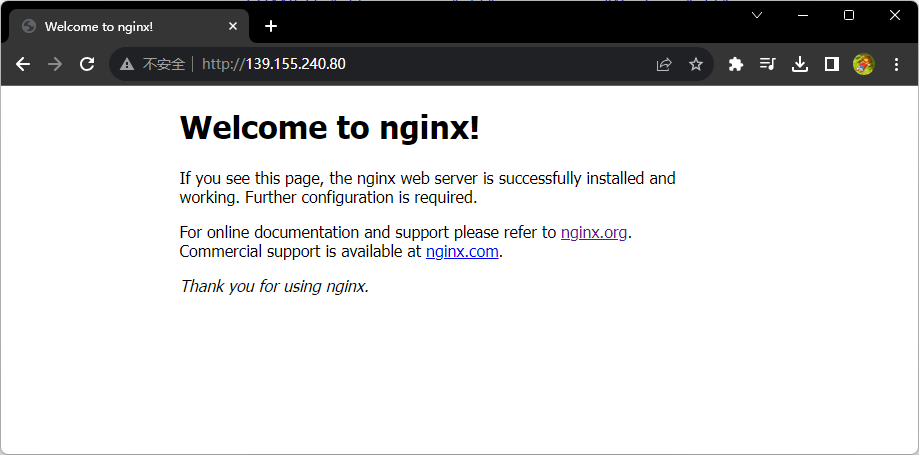
8、访问启动后对应 ip 的 80 端口,看到如下页面即安装成功
常用命令
| 命令 | 描述 |
|---|---|
| ./sbin/nginx | 启动 Nginx 服务 |
| ./sbin/nginx -s reload | 重启 Nginx(重新加载 Nginx 配置文件) |
| ./sbin/nginx -s stop | 停止 Nginx 服务 |
这些命令在
nginx目录下直接执行
静态资源配置
为了加快网站的解析速度,可以把动态页面和静态页面交给不同的服务器来解析,来加快解析速度,提高请求的访问效率,降低原来单个服务器的压力,我们可以通过 root、alias 指令来配置 Nginx 静态服务
root
# 静态资源
location /resource {
    root  /data;
}

# H5 项目
location /h5 {
    root   /usr/local/frontend;
    index  index.html index.htm;
    try_files $uri $uri/ /index.html;
}
root 指令配置,访问的服务器路径是 root 指定的值加上 location 指定的值,加了 index 默认访问目录下的 index.html 文件
访问路径:
域名/resource/logo.png服务器访问路径:
/data/resource/logo.png
alias
# 静态资源
location /resource {
    alias /data;
}

# H5 项目,注意最后一行配置,需要带上请求路径 /h5
location /h5 {
    alias   /usr/local/frontend/h5;
    index  index.html index.htm;
    try_files $uri $uri/ /h5/index.html;
}
alias 指令配置,访问的服务器路径是 alias 指定的值,不包含 location 指定的值
访问路径:
域名/resource/logo.png访问服务器路径:
/data/logo.png
root 与 alias 区别
在一个
location中,alias可以存在多个,但是root只能有一个alias只能存在于location中,root可以用在server、http和location中alias指定的目录后面必须要加上/(经验证是非必加的,如果location指定路径最后是/时才必须要加)
反向代理配置
proxy_pass转发地址最后带/,则不会加上location中的匹配路径,例如:proxy_pass https://maruinotes.com/;proxy_pass转发地址最后不带/,根据转发地址中域名是否携带路径分为两种情况带路径,则不会加上
location中的匹配路径,例如:proxy_pass https://maruinotes.com/notes/guide;不带路径,则加上
location中匹配的路径,例如:proxy_pass https://maruinotes.com;
下面以 80 端口代理到 9000 端口的服务为例进行说明
proxy_pass 转发地址最后带 /
location /a {
    proxy_pass http://127.0.0.1:9000/;
}| 访问效果 | |||
|---|---|---|---|
| 访问地址 | http://127.0.0.1:80/a | http://127.0.0.1:80/a/ | http://127.0.0.1:80/a/b |
| 代理地址 | http://127.0.0.1:9000/ | http://127.0.0.1:9000// | http://127.0.0.1:9000//b |
location /a/ {
    proxy_pass http://127.0.0.1:9000/;
}| 访问效果 | |||
|---|---|---|---|
| 访问地址 | http://127.0.0.1:80/a | http://127.0.0.1:80/a/ | http://127.0.0.1:80/a/b |
| 代理地址 | http://127.0.0.1:9000/ | http://127.0.0.1:9000/ | http://127.0.0.1:9000/b |
location /a {
    proxy_pass http://127.0.0.1:9000/a/;
}| 访问效果 | |||
|---|---|---|---|
| 访问地址 | http://127.0.0.1:80/a | http://127.0.0.1:80/a/ | http://127.0.0.1:80/a/b |
| 代理地址 | http://127.0.0.1:9000/a/ | http://127.0.0.1:9000/a// | `http://127.0.0.1:9000/a//b |
location /a/ {
    proxy_pass http://127.0.0.1:9000/a/;
}| 访问效果 | |||
|---|---|---|---|
| 访问地址 | http://127.0.0.1:80/a | http://127.0.0.1:80/a/ | http://127.0.0.1:80/a/b |
| 代理地址 | http://127.0.0.1:9000/a/ | http://127.0.0.1:9000/a/ | http://127.0.0.1:9000/a/b |
只有域名,proxy_pass 转发地址最后不带 /
location /a {
    proxy_pass http://127.0.0.1:9000;
}| 访问效果 | |||
|---|---|---|---|
| 访问地址 | http://127.0.0.1:80/a | http://127.0.0.1:80/a/ | http://127.0.0.1:80/a/b |
| 代理地址 | http://127.0.0.1:9000/a | http://127.0.0.1:9000/a/ | http://127.0.0.1:9000/a/b |
location /a/ {
    proxy_pass http://127.0.0.1:9000;
}| 访问效果 | |||
|---|---|---|---|
| 访问地址 | http://127.0.0.1:80/a | http://127.0.0.1:80/a/ | http://127.0.0.1:80/a/b |
| 代理地址 | http://127.0.0.1:9000/a/ | http://127.0.0.1:9000/a/ | http://127.0.0.1:9000/a/b |
域名带路径,proxy_pass 转发地址最后不带 /
location /a {
    proxy_pass http://127.0.0.1:9000/a;
}| 访问效果 | |||
|---|---|---|---|
| 访问地址 | http://127.0.0.1:80/a | http://127.0.0.1:80/a/ | http://127.0.0.1:80/a/b |
| 代理地址 | http://127.0.0.1:9000/a | http://127.0.0.1:9000/a/ | http://127.0.0.1:9000/a/b |
location /a/ {
    proxy_pass http://127.0.0.1:9000/a;
}| 访问效果 | |||
|---|---|---|---|
| 访问地址 | http://127.0.0.1:80/a | http://127.0.0.1:80/a/ | http://127.0.0.1:80/a/b |
| 代理地址 | http://127.0.0.1:9000/a | http://127.0.0.1:9000/a | http://127.0.0.1:9000/ab |
负载均衡配置
upstream app_server {
  server 192.168.1.11:8880   weight=5;
  server 192.168.1.12:9990   weight=1;
  server 192.168.1.13:8989   weight=6;
  # weigth参数表示权值,权值越高被分配到的几率越大
}
server {
  listen 80;
  location / {
    proxy_pass http://app_server;
  }
}
重定向配置(包含自定义内容返回)
返回状态码,访问页面显示 302 Found
location / {
    return 302;
}
返回状态码 + 文本内容,default_type 必须要添加,否则浏览器会当成不识别的文件进行下载,add_header 解决中文显示乱码问题
location / {
    default_type text/html;
    add_header Content-Type 'text/html; charset=utf-8';
    return 200 '一段文本内容';
}
返回状态码 + JSON 内容
location / {
    default_type application/json;
    return 200 '{"code": "000000", "msg": "成功"}';
}
返回状态码 + 重定向地址,301(永久重定向)、302(临时重定向),URL/blog 重定向后地址为 URL/view
location /blog {
    return 302 /view;
}
URL/blog 重定向后地址为 https://maruinotes.com
location /blog {
    return https://maruinotes.com;
}